
Goods that arrive with the delivery note are confirmed by barcode.
Products
End-to-end warehouse management
Keeps warehouse movement in one flow, from receiving to putaway, picking, packing and shipping. The shelf and the ERP share the same number.
WMS
A movement lost in the warehouse becomes a shipping error
If goods arrive without an address, picking runs on paper and the lot is not checked at the door, stock is right on paper and wrong on the shelf. WMS closes that gap. Every pallet, carton and unit is tied to a location, a task and a document.
The order drops into the warehouse task queue. The handheld guides receiving, putaway, counting and picking step by step. A wrong barcode, a wrong lot or a missing address does not let the step continue. The shipment that leaves returns to ERP on the same record.
The product is guided to an empty, suitable location.
Address, lot and quantity are visible live.
The task queue states the sequence and the address.
The picked order is checked and closed.
The outbound move, with lot confirmation, is posted to ERP.
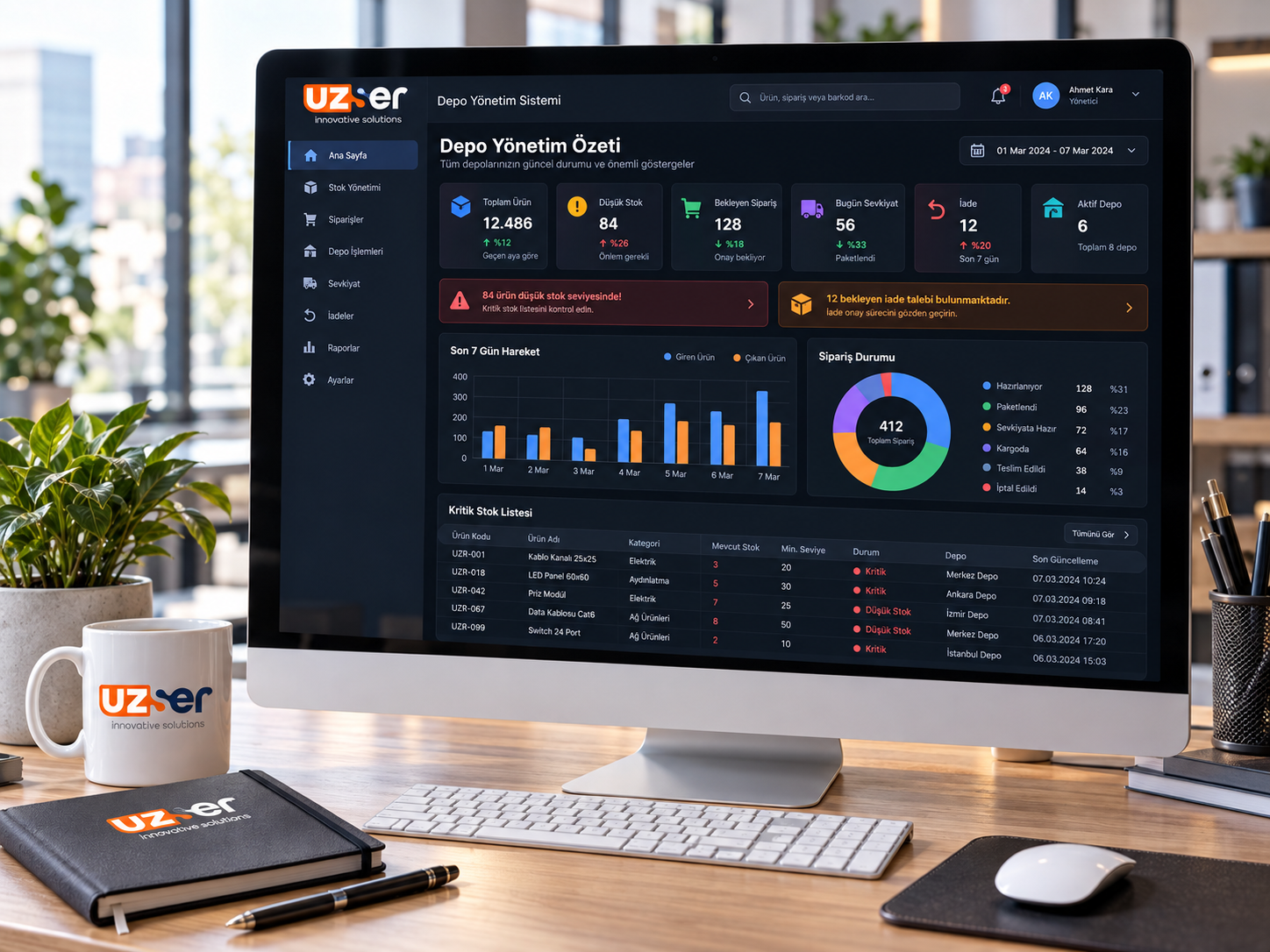
The day's summary
The warehouse is read from one screen
Total products, low stock, waiting orders, today's shipments and returns are on the same panel. Critical stock and a return request raise their own alert.
Recent movements and order status are here too. Management sees where the day went without walking the aisle.
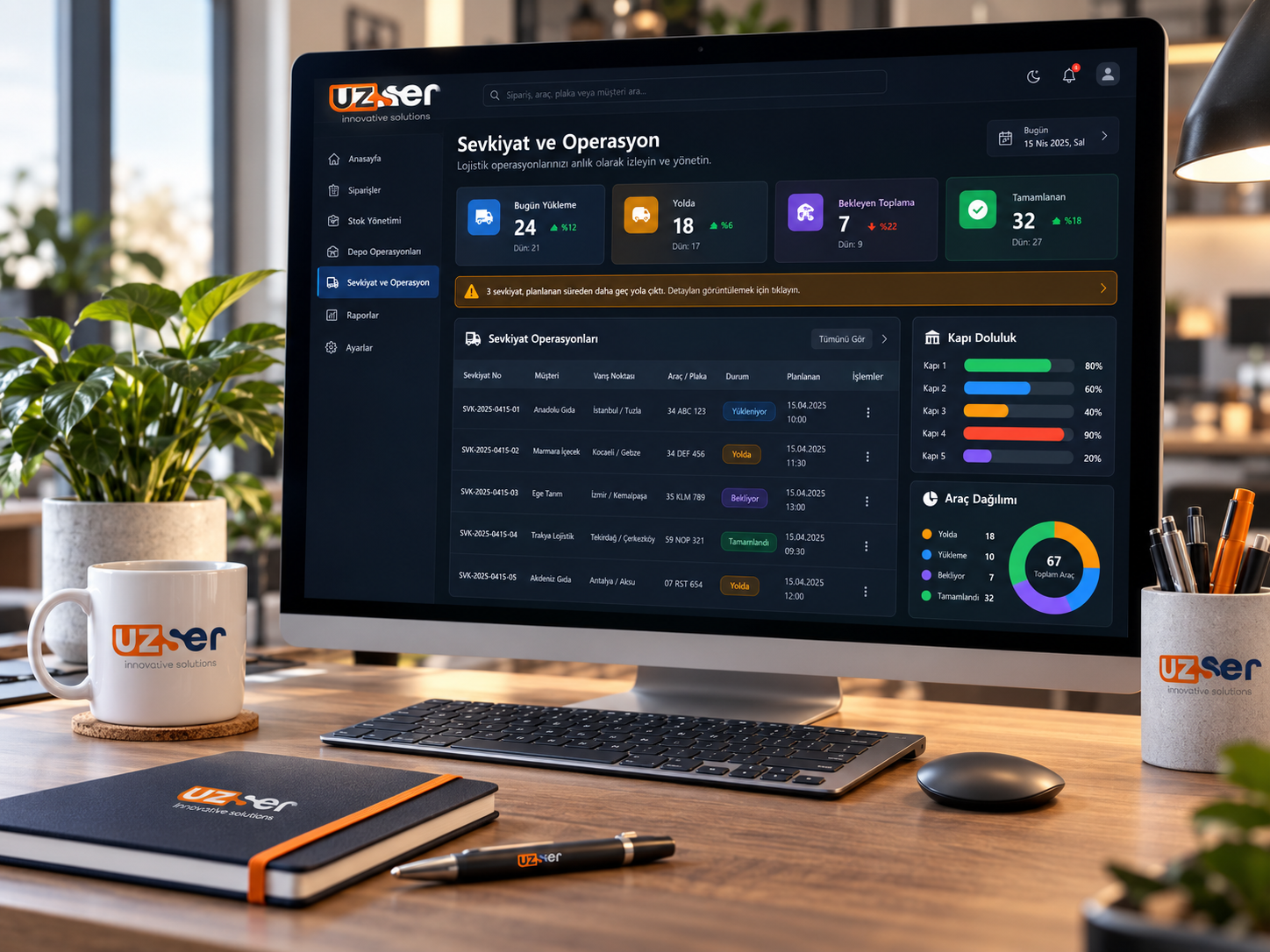
Shipping
Loading, on the road and the dock on the same list
Shipping shows the customer, the route, the vehicle and the status together. Loading, on the road, waiting and completed stay apart.
Dock occupancy and vehicle distribution sit beside it. A delayed plan stays on the line and is not lost at the door.

Stock
Every product has a known shelf and threshold
The stock list keeps code, category, barcode, shelf and quantity on hand together. Normal, low and critical status sit beside the line.
Search and the warehouse filter keep the day's list together. Falling stock shows before it becomes a shipping error.
Operations
Receiving ends at the door, shipping is confirmed at the door
Goods receiving
The incoming delivery note is read line by line. Short, over and damaged goods are separated at receiving. The quantity that enters stock and the quantity on the document are the same record.
Putaway
The system knows the empty bin, the product group and the lot rule. The operator puts the goods at the address shown on the terminal. No random shelf remains.
Address and lot
What is inside each location is known. Lot, serial and expiry travel with the movement. Traceability lasts through shipping.
Count
A count opens by aisle, bin or product. The variance shows at once. The correction is made before the warehouse closes.
Picking
The order becomes a task. The terminal states the next address, product and quantity. If the wrong barcode is scanned, the line does not close.
Pack and ship
The picked order is packed. The delivery note and the vehicle departure close with lot confirmation. What reaches the customer is what left the shelf.
Returns
Returned goods enter receiving again. Sound, to-be-relabeled and scrap are separated. Stock is corrected without swelling.
Handheld terminal
Receiving, putaway, counting and picking run on RF. The paper list, and entering it into the system later, goes away.
ERP connection
Order, delivery note and stock movement stay in the same flow with Logo and Netsis. The warehouse is not a separate island.
Let us clarify it together.
We listen to what you need and map a calm path that fits you.