
Product, unit and price are open to the dealer.
Products
B2B
Runs dealer orders, invoices and payments end to end. The dealer orders on their own screen and head office sees the same record.
Dealer portal
The order is not on the phone while the invoice sits somewhere else
When the catalogue is a file, the order an email and the invoice a separate statement, the two sides are not talking about the same day. B2B closes that gap. Catalogue, basket, order, invoice and collection move on the same dealer record.
The dealer signs in with a code and sees the latest invoice, the latest order and frequent products. On desktop the same work is catalogue, order status and documents. Head office does not re-enter the dealer’s order.
The chosen line is written to the dealer account.
The approved basket receives an order number.
Availability is visible at the moment of order.
The issued document lands on the dealer screen.
Collection sits beside the same record.
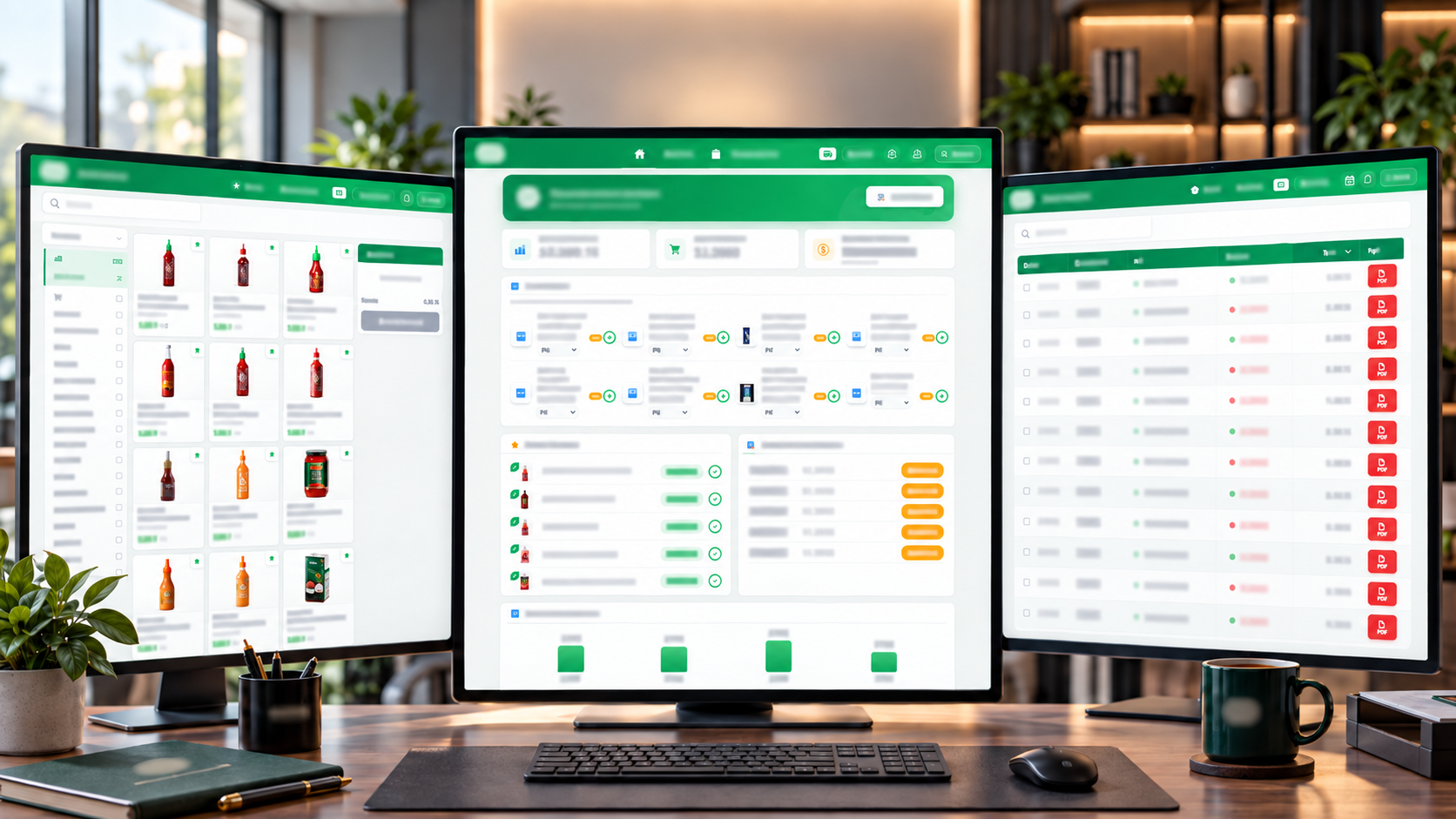
Desktop
Catalogue, order and invoice side by side
On desktop the dealer sees catalogue, order summary and documents at once. Open orders, lines being prepared and closed work stay apart.
Invoice and order documents come down from the list. The dealer does not chase a statement, and head office does not hunt the same number on another screen.
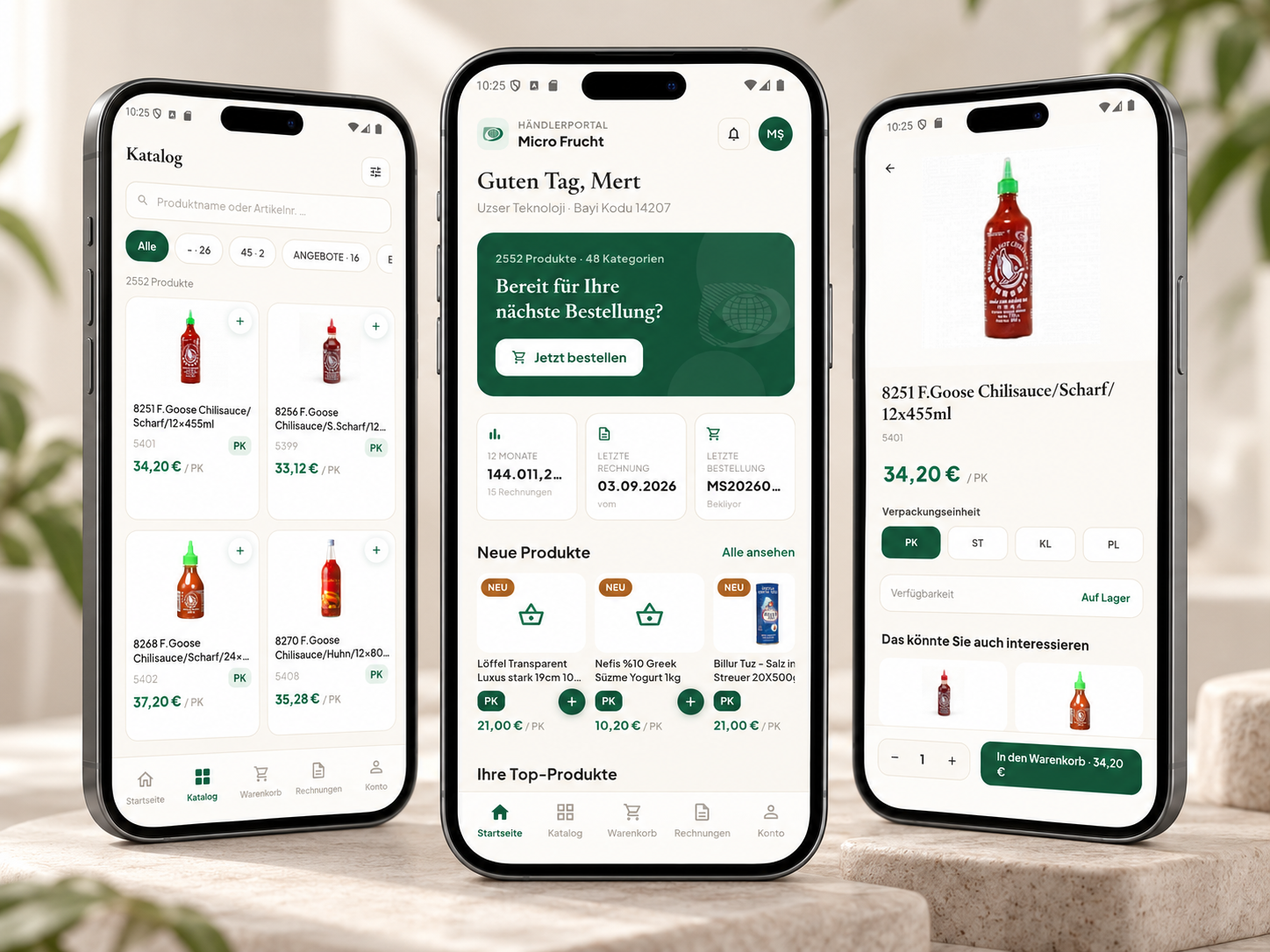
Mobile
The dealer orders from a phone
The home screen shows the dealer code, the latest invoice and the latest order. Search, pack unit and stock stay on the same phone.
The product goes into the basket and the amount is written to the dealer account. Frequent and new products are listed apart, so the order is not rebuilt from zero each time.
Scope
Dealership, from order to collection, on one record
Dealer account
Each dealer signs in with their own code, prices and history. Another dealer’s orders and invoices do not appear.
Catalogue
Product name, code and image can be searched. Category and campaign filters narrow the day’s list.
Unit and price
Case, piece and other pack units stay apart. The dealer’s own price lands on the order line by itself.
Stock availability
If the product is in the warehouse, the dealer sees it before ordering. A missing line is not a later surprise.
Basket and order
Once the basket is approved it receives an order number. Status moves on the same line for the dealer and head office.
Frequent items
Products the dealer buys often come forward. A repeat order does not get lost in the catalogue.
Invoice
The issued invoice lands on the dealer screen. The document opens from the list; no separate statement chase.
Payment
Open invoices and collections sit beside the same record. The dealer and head office do not hunt them on separate lists.
Head-office view
Incoming orders, lines being prepared and closed documents gather on one panel. Operations see what the dealer sees.
Let us clarify it together.
We listen to what you need and map a calm path that fits you.